
Dodge Charger: SERVICING AND MAINTENANCE / TIRES
- Tire Safety Information
- Tire Loading And Tire Pressure
- Steps For Determining Correct Load Limit—
- Tires — General Information
- Tire Types
- Spare Tires — If Equipped
- Wheel And Wheel Trim Care
- Snow Traction Devices
- Tire Rotation Recommendations
 Bulb Replacement
Replacement Bulbs
All of the interior bulbs are glass wedge base or glass cartridge types. Aluminum
base bulbs are not approved and should not be used for replacement...
 Tire Safety Information
Tire safety information will cover aspects of the following information: Tire
Markings, Tire Identification Numbers, Tire Terminology and Definitions, Tire Pressures,
and Tire Loading...
Other information:
Dodge Charger 2011-2026 Owner's Manual: Power Door Locks
The power door lock switches are located on each front door panel. Push the switch to lock or unlock the doors. The driver’s door will unlock automatically if the keys are found inside the vehicle when the door lock button on the front door panel is used to lock the door...
Dodge Charger 2011-2026 Owner's Manual: Manual Front Seat Recline
To adjust the seatback, lift the lever located on the outboard side of the seat, lean back to the desired position and release the lever. To return the seatback, lift the lever, lean forward and release the lever. WARNING! Do not ride with the seatback reclined so that the shoulder belt is no longer resting against your chest...
Categories
- Manuals Home
- Dodge Charger Owners Manual
- Dodge Charger Service Manual
- Blind Spot Monitoring (BSM) — If Equipped
- Launch Control
- PARKING BRAKE
- New on site
- Most important about car
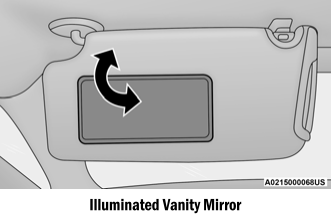
Illuminated Vanity Mirrors
To access an illuminated vanity mirror, flip down one of the visors and lift the cover.
Sun Visor “Slide-On-Rod” Feature — If Equipped
The sun visor “Slide-On-Rod” feature allows for additional flexibility in positioning the sun visor to block out the sun.
Fold down the sun visor. Unclip the visor from the corner clip. Pivot the sun visor toward the side window. Extend the sun visor for additional sun blockage.
Copyright © 2026 www.docharger.org